










Integrity Check
Apparity’s standalone Integrity Check tool audits spreadsheets for potential errors.
Speadsheet Audit Tool
Integrity Check is a standalone tool that can be leveraged without needing to deploy any other Apparity module. When the Apparity Excel add-in is installed, users can easily access Integrity Check via the Apparity ribbon.

Integrity Check audits a spreadsheet for errors by analyzing each cell and ranking errors as 'Information,' 'Warning' or 'Severe.' Examples of errors identified include #REF, #VALUE and hard-coded values within formulas.
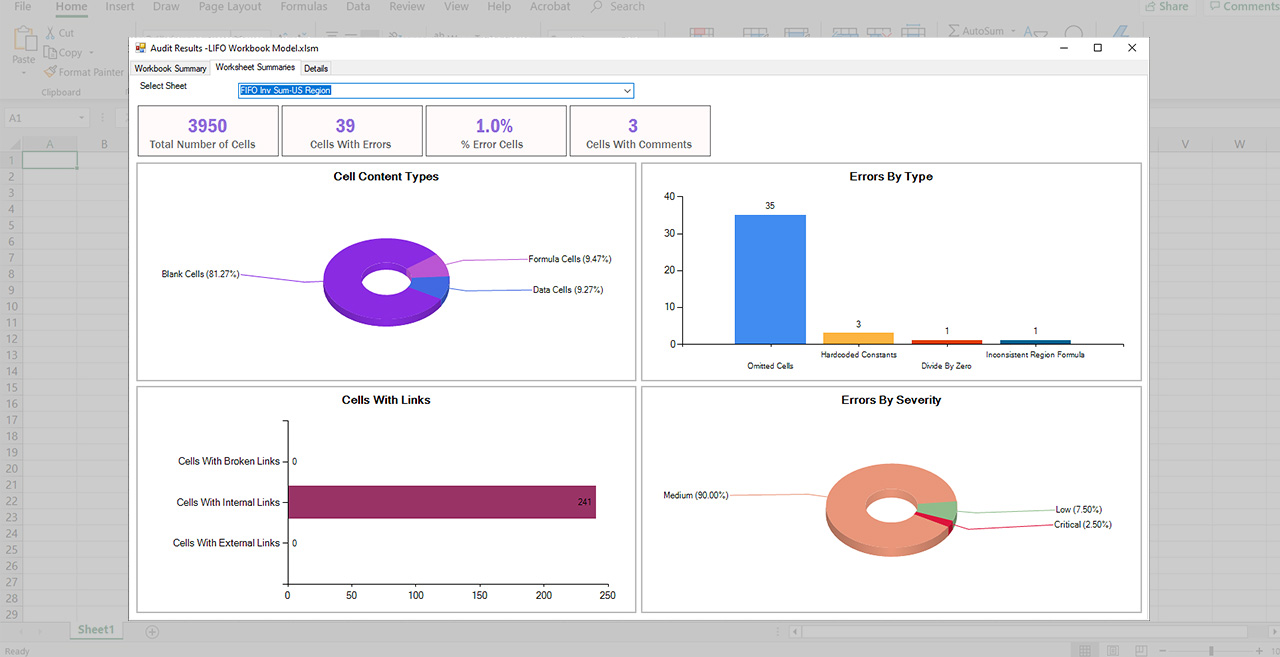
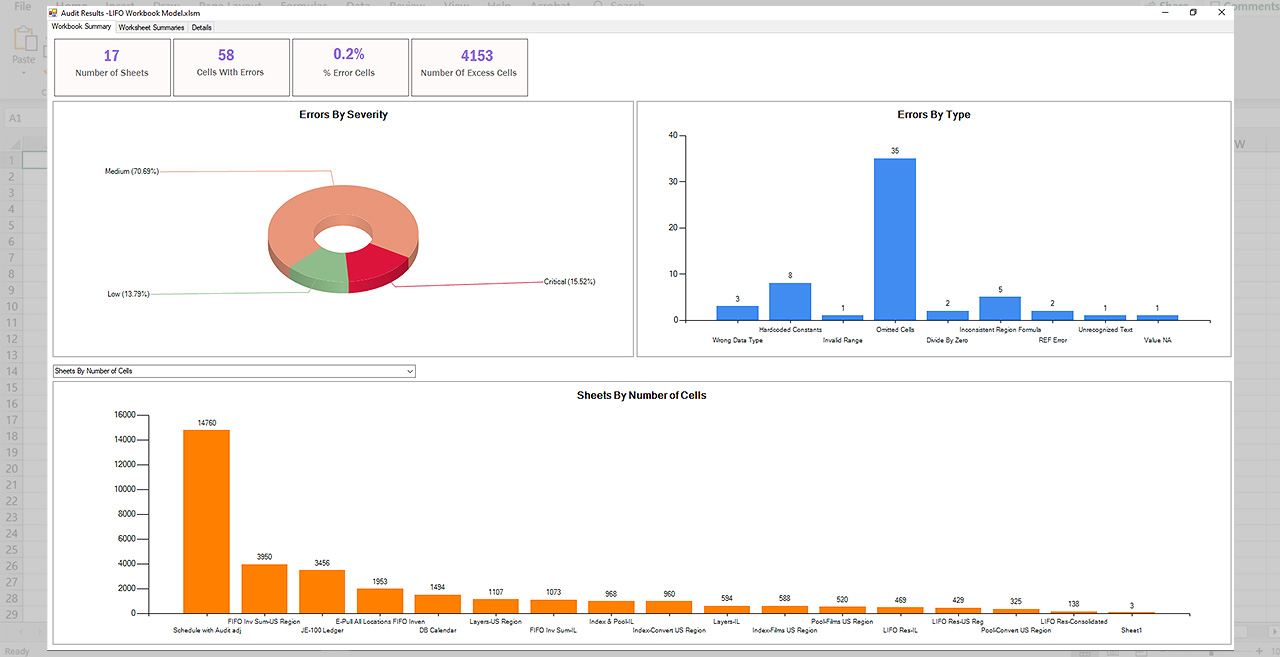
Spreadsheet audit results are visualized through graphs illustrating the error percentage associated with the entire workbook, as well as each worksheet. A user can group error values, sheet names, cell names and error description fields to better contextualize and analyze the results.
See Integrity Check in Action
Schedule a demo to see our spreadsheet checker in action.
